Challenge Link: https://app.letsdefend.io/challenge/ransomware-attack
Memory Dump (pass: infected): C:\Users\LetsDefend\Desktop\Files\AnalysisSession1.7z
Question 1
Please you find the dropped dll, include the whole path including the dll file
I started by unzipping the challenge file which gave me a .mans file. Windows recommended I open it with the pre-installed RedLine so I did just that. Once the file opened I decided to first check the Processes tab on the left side.
Here I skimmed through and found a few interesting points:
- A notepad file created by a user on the system

- MsMpEng.exe running from a Temp folder.

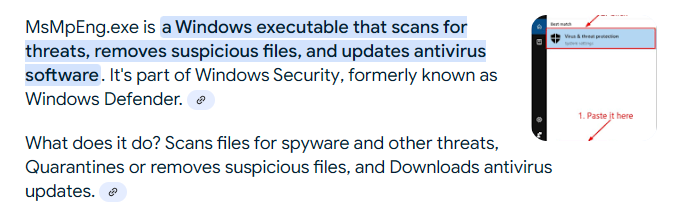
Doing some research on MsMpEng.exe I discovered it is an antivirus application that is a part of Windows Security/Defender. The fact this was running from a Temp folder was suspicious so I decided to investigate further.
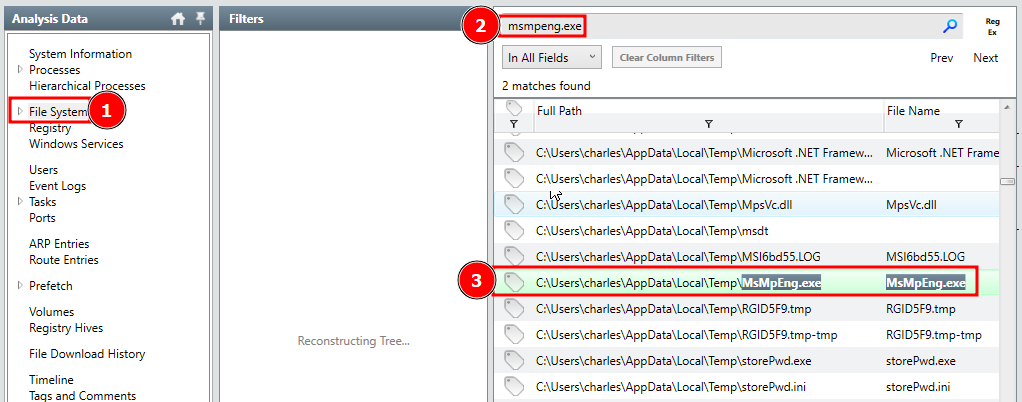
I moved to the File System tab on the left sidebar and searched for the keyword msmpeng.exe in the search box to bring up the file.
Once the file appeared in the search results I double clicked to get its detailed information. The question is asking for a .DLL that is dropped. Considering this, I then opened the Imports tab on the bottom of the File Detailed Information page.
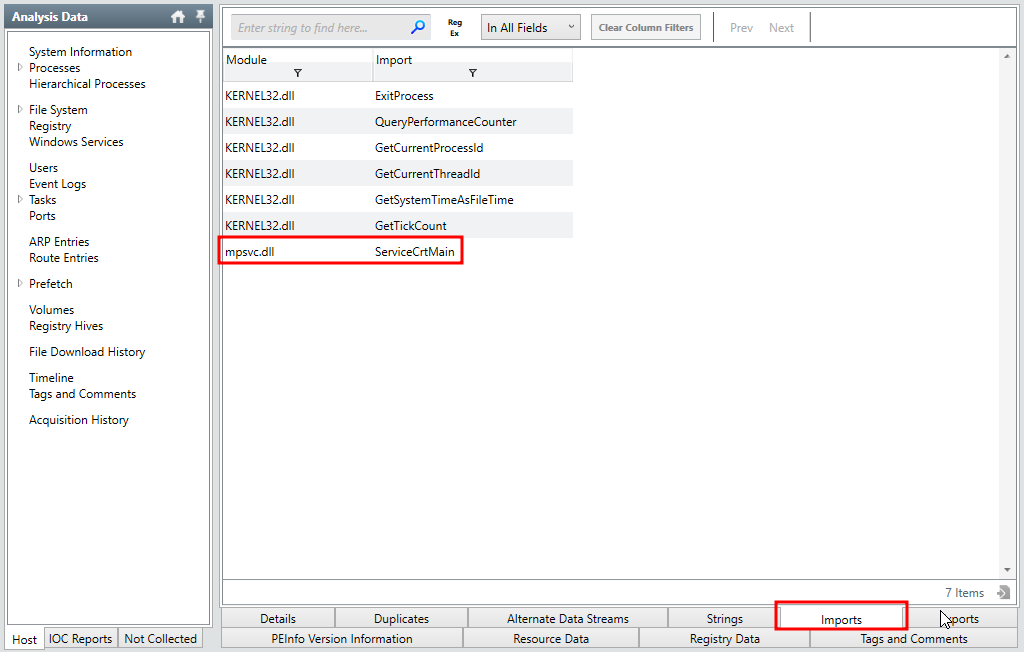
In the Imports tab I discovered a mpsvc.dll file that looked a little out of place. I hoped this was the one I was looking for.
I then took this file name back to the File System search bar to find its location. The results brought back more than one result so it was important to make sure I was selecting the one from the Temp folder.

Here I found the full file path of the DLL and the MD5 hash.
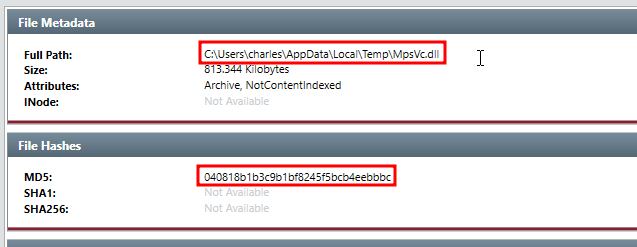
This turned out the be the answer the question was looking for.
Answer:
C:\Users\charles\AppData\local\temp\mpsvc.dll
Question 2
What is the MD5 hash for the dll?
I found this hash in the screenshot in the previous question.
Answer:
040818b1b3c9b1bf8245f5bcb4eebbbc
Question 3
What is the name of ransomware note that got dropped?
This question remined me about the Notepad process I noticed earlier. I went back and searched the file system for a file called 2s6lc-readme.txt then opened it once the results came in.
Since there was not much important on the Details tab I moved to the Strings tab.
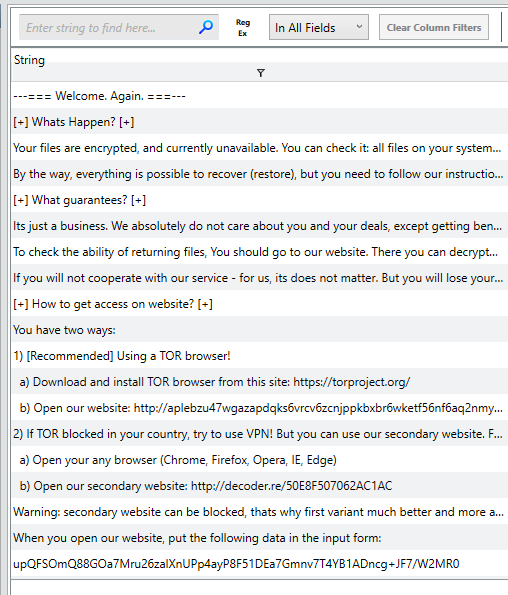
Here I found what looks to be a ransom letter.
Answer:
2s6lc-readme
Question 4
What is the URL that the initial payload was downloaded from? (Include the whole URL with the payload)
Here I realized the URL might be in the File Download History tab on the left side bar. When I opened the tab I was hit with a lot of information. I realized I could sort the downloads by date and cross-reference against the malicious .exe I discovered earlier.
I went back to the MsMpEng.exe file in the File System tab and found the following timestamp:

Then in the File Download History I discovered only one download that happened on this day.
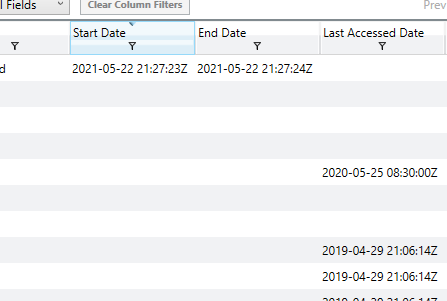

Here I found a file that was downloaded from the following URL to the users Download folder.
http://192.168.75.129:8111/Documents/lsass
Answer:
http://192.168.75.129:8111/Documents/lsass
Question 5
The ransomware drops the copy of the legitimate application into the Temp folder. Please provide the filename including the extension
I already discovered earlier that this file was the MsMpEng.exe executable.
Answer:
MsMpEng.exe
Question 6
What is name of the ransomware?
I went back and read through the ransom note left behind but did not find a reference to the ransomware in use. When that didn’t work I then took the MD5 hash I found previously and searched it on VirusTotal.
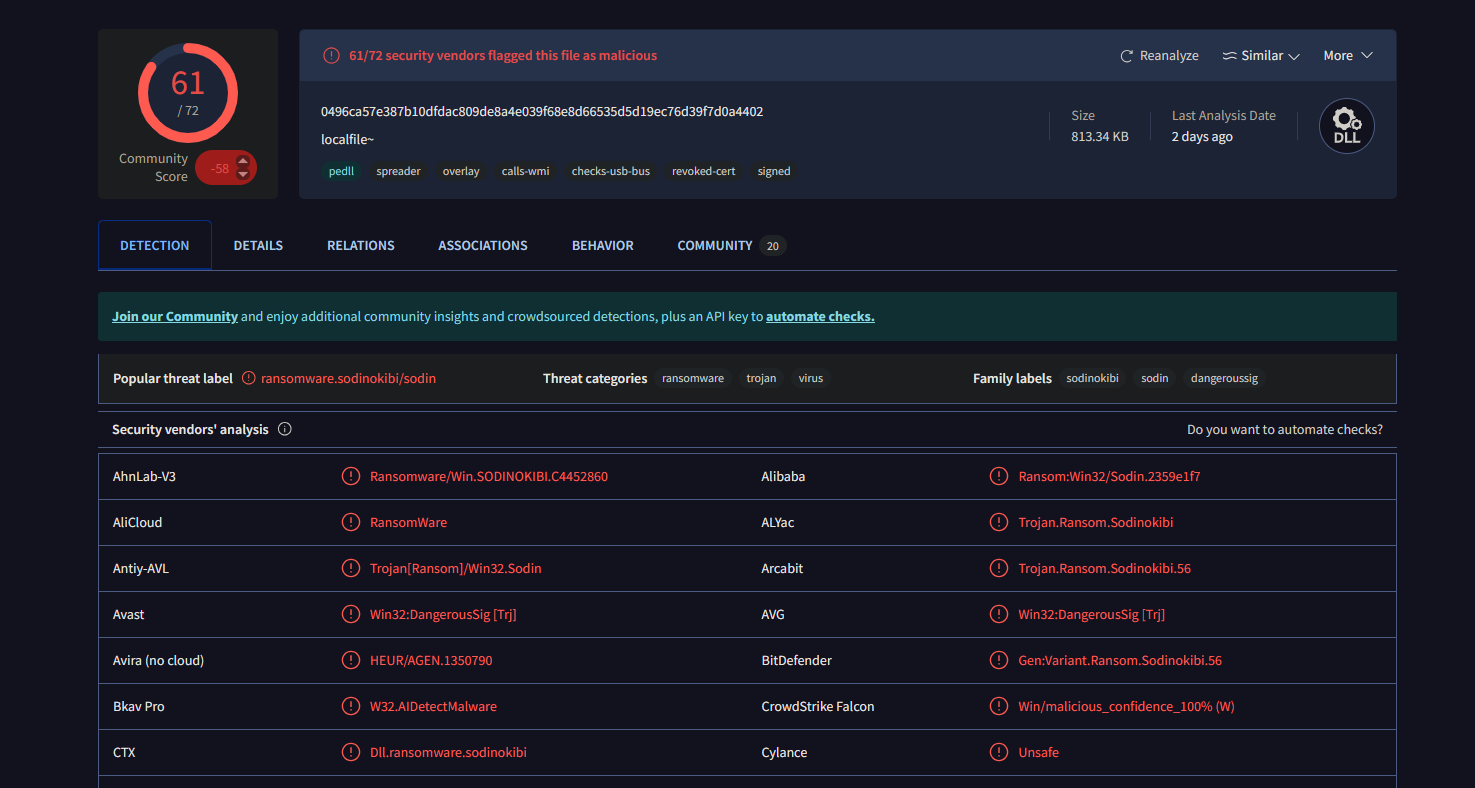
I found that most Security vendors label this ransomware as sodinokibi
Answer:
sodinokibi